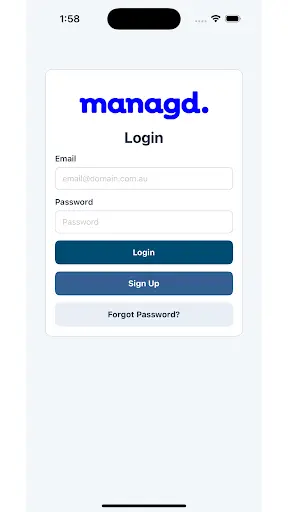
Field service operations, connected from job site to office.
Managd is a field service and labour-hire operations platform for iOS, Android and web, built by Chubby Solutions to connect workers, office staff and client sites through allocations, timesheets, invoicing and automated reminders.
Managd is an operations platform for field teams and office staff. It brings workforce allocation, timesheets, clients, invoicing, leave and job activity into one connected system, reducing administration and giving the business a clearer view of daily operations.
The build
How we built Managd.
The challenge
Labour-hire and field service businesses juggle worker allocation, shift acceptance, timesheets, client sign-off, invoicing and compliance documents across phone calls, spreadsheets and messaging apps. Managd needed to bring the office, the workers in the field and the clients' site contacts into one system, while keeping each party's access tightly scoped.
Our approach
Chubby Solutions built a role-based Expo app (worker tabs for timesheets, profile, invoices and leave; admin tabs for allocations, timesheets, clients, workers and assets) alongside a Material UI web portal, all backed by organisation-scoped Firebase Cloud Functions. Recurring admin chores were automated with scheduled functions for shift reminders, timesheet summaries and invoice reminders. Reporting uses Melbourne-time calendar months with documented rules for hours, capacities and invoices. Messaging sends are made idempotent and reviewable: job announcements require a final review, lock the reviewed revision and never auto-resend. Business rules such as client access and pay calculation are kept in pure, unit-tested modules.
How it fits together
An Expo mobile app with separate worker and admin/staff navigation and a React web portal for the office both call the same set of Firebase Cloud Functions, which scope every request to the caller's organisation and role. Firestore holds jobs, allocations, timesheets, workers, clients, sites, assets and invoices, with scheduled functions handling reminders and summaries. Client contacts get restricted access to a Site Hub view enforced by a dedicated, separately tested access-rules module.
By the numbers
4 user roles
Around 120 Cloud Functions
9 scheduled automations
21 web portal pages
20 mobile screens
Core experience
Built around what users actually need.
01
Workforce allocation
Assign the right workers to upcoming jobs and changing schedules.
02
Timesheets
Capture and review working time from the field.
03
Jobs and clients
Keep job details, customer records and activity connected.
04
Invoices and leave
Handle essential back-office workflows without switching systems.
05
Job Market announcements
Compose job adverts, filter workers by capacity and location, review recipients and push to up to 500 workers or share to WhatsApp/Telegram groups.
06
Site Hub client portal
Client site contacts raise allocations, sign off the day's timesheets and give return-worker feedback with restricted access.
07
Client Hub sales CRM
A cold-calling list that logs calls, emails, SMS, WhatsApp hand-offs and follow-up dates until a prospect becomes a client.
08
Stats and reports
Monthly KPIs and twelve-month charts for hours, allocations, growth, invoices and asset use, with CSV export.
09
Quotes and PDF documents
Draft quotes and generate invoice and document PDFs, including signature capture.
10
Worker compliance documents
Licence and white card uploads with registration and expiry reminders.
React 19 web portal (Create React App) with Material UI 7, Redux Toolkit and TanStack Query
Firebase Auth, Cloud Firestore, Firebase Storage and Firebase Hosting
Firebase Cloud Functions (v2) with HTTP, scheduled and Firestore-triggered functions
Google Cloud Tasks
PDF generation (pdfmake, pdfkit, jsPDF, pdf-lib) and ApexCharts reporting
Integrations and services
Expo push notifications
Twilio SMS
Brevo and SendGrid email
WhatsApp and Telegram hand-off links
Google Maps and Google Places address lookup
Google Cloud Tasks
Our contribution
From product thinking to a shipped experience.
Product strategyUX & UI designFrontend developmentBackend & integrationsQuality assuranceLaunch support
Questions
About Managd
Who built Managd?
+
Managd was designed and developed by Chubby Solutions, a web and mobile app development studio based in Doreen, Melbourne. Chubby Solutions handled product strategy, UX & UI design, frontend development, backend & integrations, quality assurance and launch support.
What technology is Managd built with?
+
Managd is built with React Native, Expo, React and Firebase. An Expo mobile app with separate worker and admin/staff navigation and a React web portal for the office both call the same set of Firebase Cloud Functions, which scope every request to the caller's organisation and role.
Which platforms is Managd available on?
+
Managd is available on iOS, Android, Web admin portal and Client site portal. App Store and Google Play links are listed at the top of this page.
When was Managd built?
+
Chubby Solutions began building Managd in 2025 and has continued to develop it through 2026.
Can Chubby Solutions build a similar app for my business?
+
Yes. Chubby Solutions builds custom iOS and Android apps, web portals and backends for businesses across Melbourne and Australia. Get in touch through chubbysolutions.com.au/contact-us to discuss your project.